
AI & automation
Applied AI integration for the software your business runs on
AI assistants, structured information extraction and workflow automation, built into the systems you already use, with a person reviewing what matters and self-hosted models where data needs to stay in-house.
What’s included
- AI assistants
- Information extraction
- Workflow automation
- Self-hosted models
Our approach
AI that does a specific job inside your systems
We use AI for specific work: understanding what a customer wrote, pulling structured details out of messages and notes, drafting a reply for someone to check, or moving a task to the next step. The aim is less manual work in the systems you already run.
We start with the task, not the model. If a rule, a report or business process automation would do the job better, we’ll say so.
When AI is the right answer, we choose between hosted models and open-source models on private servers, based on the data involved, the running cost and the quality the task needs.
Where applied AI earns its place
- Qualifying and routing enquiries
- Pulling structured data from free text
- Drafts that a person reviews and sends
- Assistants inside internal tools
- AI steps in automated workflows
What we build with AI
AI built into real products and processes, not added as a separate demo.
AI assistants
Assistants for your website, app or internal tools that understand a request, ask for missing details and hand over to a person.
Information extraction
Turning emails, chat messages and notes into structured records your systems can use: fields, categories and next steps.
AI in existing software
AI features added to ERPs, CRMs, web apps and WordPress or WooCommerce sites through APIs or custom modules.
Custom softwareAI in automated workflows
Classify, extract or draft with AI, then route the result to the right person or system automatically.
Process automationHuman in the loop
AI output treated as a draft: people approve what matters, and the system keeps a record of what the AI suggested.
Self-hosted models
Open-source models on private servers, for work where data shouldn’t be sent to an outside AI service.
Live example
The project assistant on this website
The project assistant on this site is our own applied AI work, and you can try it. It runs on open-source language models on our own server, so conversations are processed there rather than sent to an outside AI provider.
It reads what you type and works out what you have already said, such as the kind of project, whether it’s new or existing, the technology and how urgent it is, then asks only for what is still missing. Tapping an option doesn’t call the model at all.
When you send your details, the enquiry is saved straight away with a structured brief. For longer or more technical conversations, a larger model prepares a detailed internal brief in the background. A person from our team reviews it and replies.
How it’s built
- Open-source models on our own server
- Structured output checked by our code
- Conversation state kept on the server
- Detailed brief prepared in the background
- A person reviews and replies
How we deliver AI projects
We test the value early, before you commit to a full build.
- 1Find the use case
We identify tasks where AI saves real time and define what good output looks like.
- 2Prototype with your data
A small working prototype tests quality, cost and speed against real examples.
- 3Build it in
The feature is integrated into your system with permissions, logging and human review.
- 4Measure and refine
We review outputs, adjust prompts, examples and models, and keep improving as usage grows.
AI in our own products
We run AI in our own products before recommending it to anyone else.
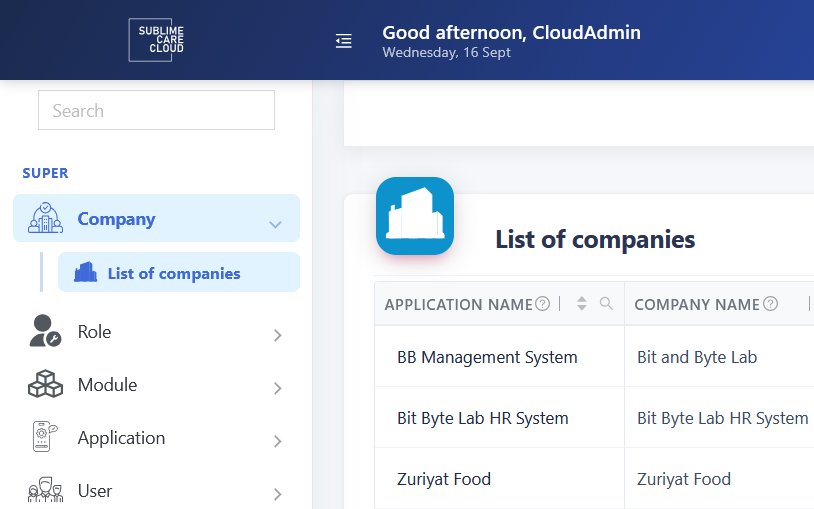
30+business modules across four industries
- Education
- Accounting
- HR & payroll
- Health & nutrition
Flagship product · Modular ERP with self-hosted AI
Sublime Care Cloud
Businesses needing one system for education, accounting, HR and more.
A metadata-driven modular ERP, with open-source AI models hosted on our own servers.
OutcomeAI capability available to the platform without sending business data to an outside AI provider.
- .NET 8
- Angular 18
- Flutter
- Self-hosted AI
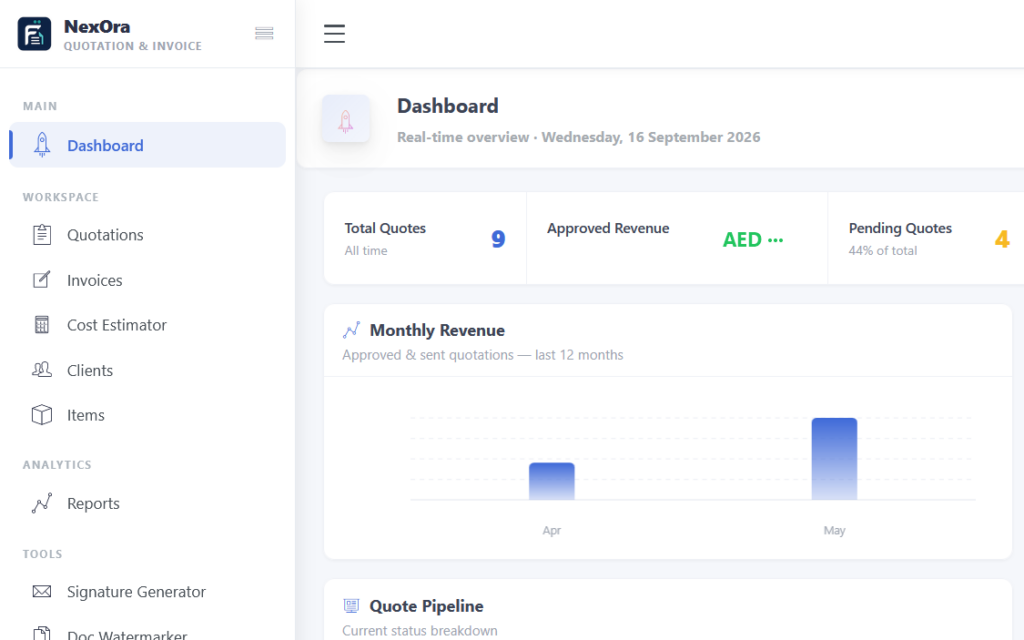
Our product · UAE
Faatura Cloud
UAE contractors still estimating and quoting jobs in spreadsheets.
Cost estimates, quotations and 5% VAT tax invoices in one platform, in English and Arabic.
OutcomeAn approved quotation becomes an invoice in one click.
- Angular
- Arabic RTL
- Multi-company
- UAE VAT
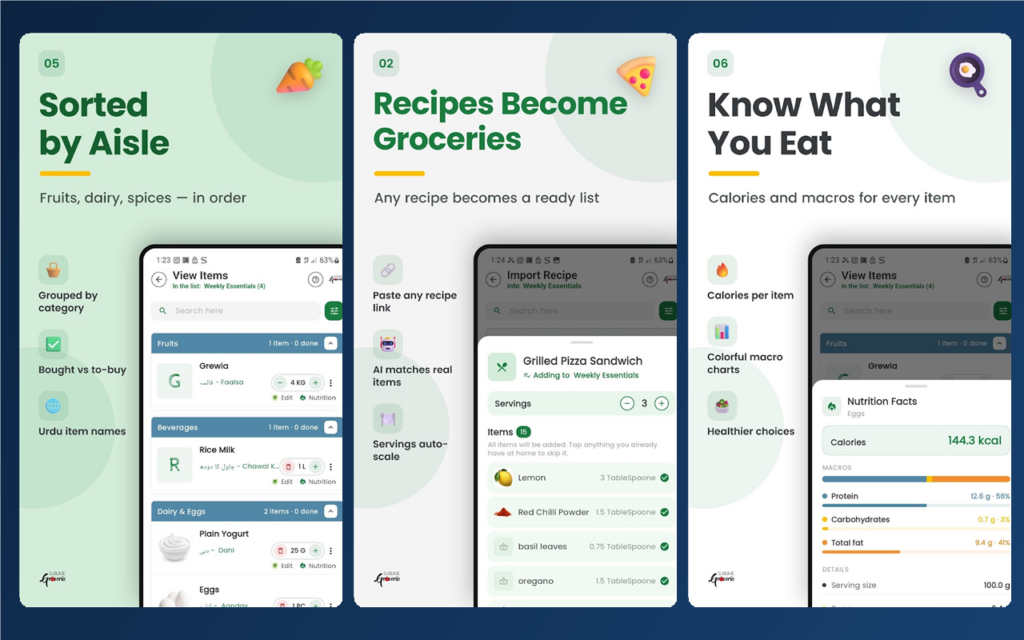
Our product · Grocery list app
Sublime Groceria
- 433users
- 253grocery lists
- 1,462list items
Grocery lists, recipes and nutrition information spread across different places.
A Flutter app, a website and web app, with the admin in Sublime Care Cloud.
OutcomeLive on Google Play and the web, managed from Sublime Care Cloud.
- Flutter
- .NET API
- SQL Server
Data and control
Choosing where your AI runs
Many AI tools send every prompt to an outside service. For some tasks that’s fine; for customer records, pricing or internal documents it may not be.
Because we already run open-source language models on our own servers, including the assistant on this site, we can offer self-hosted AI where data sensitivity matters, and hosted models where they’re the better value.
Either way, AI output is treated as a draft. Permissions decide who can use it, and people approve what matters.
What you get
- A tested use case, not guesswork
- Hosted or self-hosted model options
- Role-based access and usage logs
- Human review where it matters
- Ongoing tuning and support
AI and automation FAQs
What people usually ask before adding AI to their systems.
Can you add AI to our existing software?
Yes. We add AI features to web applications, ERPs, CRMs and WordPress or WooCommerce sites through APIs or custom modules. We look at where your data lives and how people work, then place AI where it removes a step instead of adding one.
Can AI solutions be self-hosted?
Yes, where it makes sense. We run open-source language models on our own servers, including the project assistant on this website. Self-hosting keeps prompts and data on private servers, but needs capable hardware and maintenance, so we compare it with hosted models for each task.
How do you keep AI output reliable?
We give the model a narrow job, check its structured output in code before anything is saved, and keep a person in the loop for decisions that matter. We also log what the AI suggested, so results can be reviewed and improved.
How much does an AI project cost?
It depends on the use case, the volume of requests and whether models are hosted by a provider or on private servers. We usually start with a small prototype, so you can see output quality and running costs before committing to a full build.
How long does it take to build an AI feature?
A focused prototype can often be ready in weeks. Turning it into a production feature, with permissions, logging, review steps and integration into your system, takes longer and depends on scope. We deliver in stages so you can test real value early.
Have a task AI could take off your team’s plate?
Tell us what slows you down. We’ll tell you honestly whether AI, automation or neither is the right fix.